

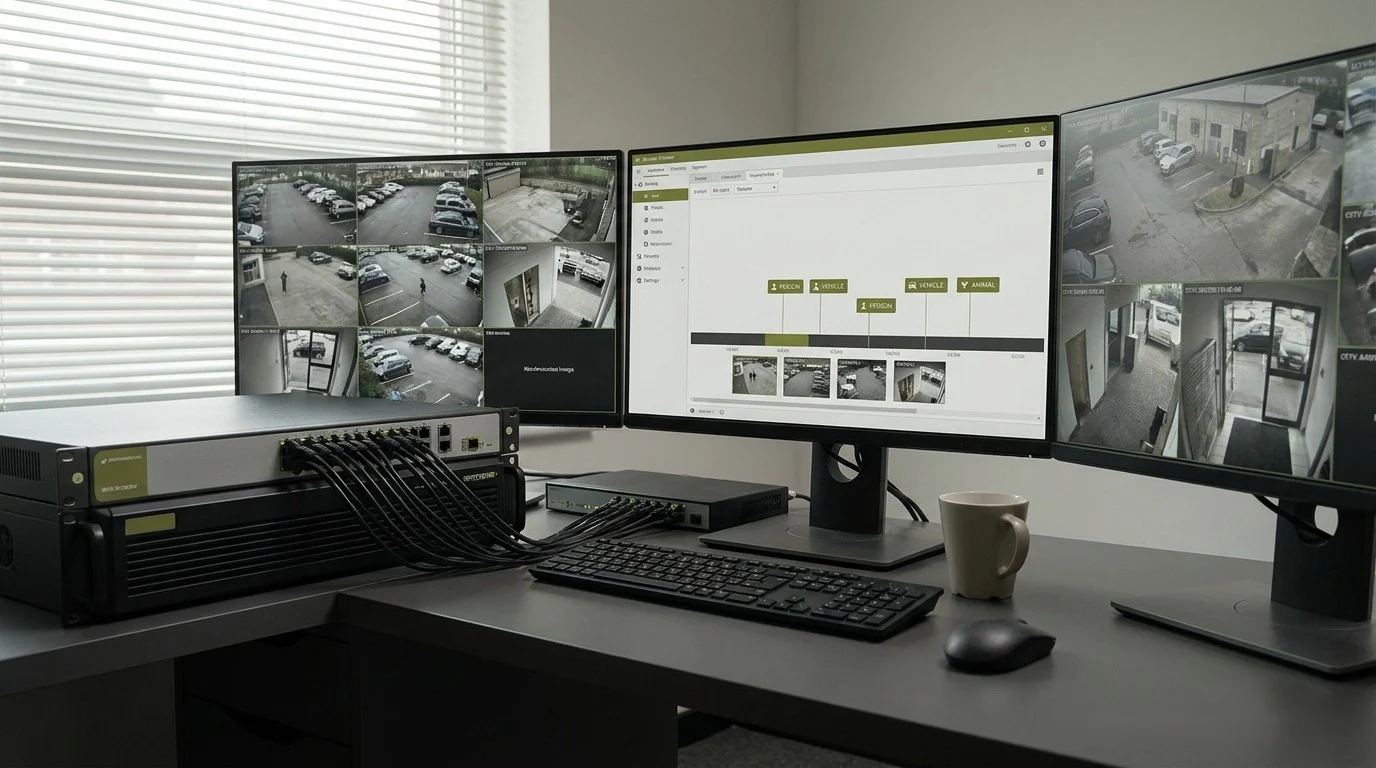
The most important part is not recording alone. The real value is being able to find the right footage when something happens.
A security camera system is not valuable only because it records video. It is valuable because the right video can be found, understood, and used as evidence when it matters.
An NVR is the recording and management layer of an IP camera system.
Without a reliable recording layer, even expensive cameras can become weak security tools. The image may look good live, but if the footage is difficult to search, poorly stored, overwritten too early, or recorded at the wrong quality, the system may fail exactly when evidence is needed.
What Does NVR Mean?
NVR stands for Network Video Recorder.
An NVR records video from IP cameras over a network. Instead of receiving traditional analog video signals directly through coaxial cable, an NVR receives digital video streams from network cameras.
Some NVRs include built-in PoE ports. That means the cameras can plug directly into the recorder and receive both network connection and power through Ethernet cable.
Other systems use a separate PoE switch. This is common in larger or more flexible installations where cameras are spread across a building, warehouse, business property, or multi-site environment.
The main job of the NVR is simple: record the right video, at the right quality, for the right amount of time, and make it searchable when needed.
DVR vs NVR: The Short Version
Before NVR systems became common, many camera systems used DVRs.
DVR stands for Digital Video Recorder. DVR systems were commonly used with analog cameras. The camera sent a video signal through coaxial cable, and the DVR converted and recorded that signal.
DVR systems were an important step forward in their time. They replaced older tape-based recording, made video easier to store, and allowed security teams to review footage digitally.
But DVR systems were limited compared with modern IP-based systems.
Analog DVR systems usually had less flexibility, lower image quality, more difficult cabling structures, and fewer intelligent search features. Some modern HD analog systems can still work well in certain environments, especially where existing coaxial cable is already installed, but the industry has clearly moved toward IP cameras and NVR-based recording.
DVR systems recorded video. Modern NVR systems manage security evidence.
That is the difference.
Why the Recording Layer Matters More Than People Think
Many buyers focus first on cameras.
That is understandable. Cameras are visible. They have megapixel numbers, night vision claims, wide-angle lenses, and attractive product photos.
But in real security work, the recorder is just as important.
- ✓A camera answers the question: can we see something?
- ✓The NVR answers a deeper question: can we prove what happened later?
That is a much more serious question.
- ✓How long video is stored
- ✓How easy footage is to search
- ✓Whether video is recorded continuously or by event
- ✓Whether motion and AI events are indexed
- ✓Whether remote access works reliably
- ✓Whether high-resolution cameras overload the system
- ✓Whether footage can be exported for clients, police, insurance, or internal investigations
A weak NVR can destroy the value of strong cameras.
A Real Police Experience: Searching Whole Nights of Footage
During my police career, I saw the value and the limits of camera systems from the operational side.
When town-level camera systems started to appear and we began using them in real investigations, they were a major step forward. They gave us visibility that had not existed before. Streets, public areas, intersections, and key locations could finally be reviewed after an incident.
But the work was slow.
If something happened during the night, we often had to spend hours — sometimes days — reviewing footage manually. We had to watch long sections of video, camera by camera, trying to find a vehicle, a person, a movement, a direction, or one short moment that mattered.
- ×There was no fast search for “show me vehicles between midnight and 4 AM.”
- ×There was no instant list of human detections.
- ×There was no quick filtering for animals, cars, or people.
- ×There was no AI-assisted event timeline.
We had video, but we did not yet have intelligent search.
That experience shaped how I think about modern security technology. Recording alone is not enough. A system must help the operator find the relevant moment fast enough to matter.
Today, AI-supported NVRs and video management platforms can change that workflow completely. Instead of manually watching an entire night, operators can often search by event type: person, vehicle, animal, motion zone, line crossing, intrusion area, face, or license plate depending on the camera and system.
That would have been extremely valuable in real police work.
The future of video security is not only recording more footage. It is finding the right footage faster.
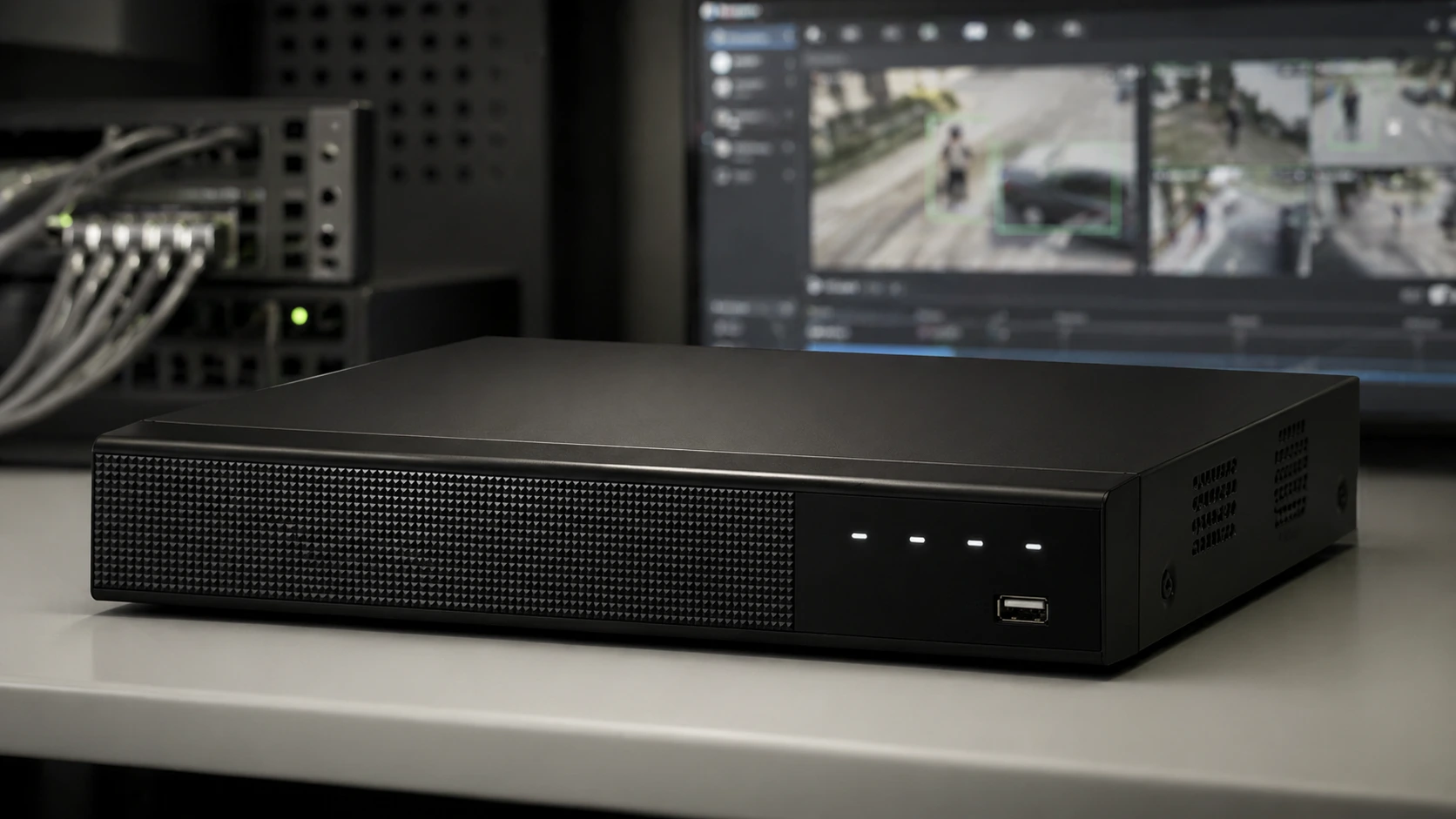
A modern NVR is more than a recorder. It helps store, organize, and search security camera footage when evidence matters.
Continuous Recording vs Event Recording
NVR systems usually support different recording modes.
- 1Continuous recording
- 2Motion-based recording
- 3Schedule-based recording
- 4Event-based recording
- 5AI-triggered recording
Continuous recording means the system records all the time. This provides the most complete archive, but it requires more storage.
Motion-based recording saves storage, but it can create problems if motion detection is poorly configured. Shadows, rain, insects, headlights, trees, and reflections can trigger too many events.
AI-triggered recording is more advanced. Instead of reacting to every pixel change, the system attempts to classify what it sees.
- ✓Person detected
- ✓Vehicle detected
- ✓Animal detected
- ✓Line crossed
- ✓Intrusion zone entered
- ✓Object removed
- ✓Loitering detected
- ✓License plate detected
This does not mean AI is perfect. It is not. But it can make video review dramatically faster than old manual searching.
A camera system becomes much more useful when the NVR or platform can organize footage by meaningful events.
AI Detection: People, Vehicles, Animals, and Real Search Value
Modern security systems increasingly use AI-assisted detection.
- ✓Human detection
- ✓Vehicle detection
- ✓Animal detection
- ✓Motion classification
- ✓Perimeter crossing
- ✓Intrusion area detection
- ✓License plate recognition in specialized systems
For homeowners, this can reduce false alerts.
For businesses, it can help locate relevant footage faster.
For professional security operations, it can support faster response, better investigations, and more usable reporting.
But AI detection must be understood correctly.
AI does not magically make every camera smart. It depends on camera quality, processor capability, firmware, lighting, angle, distance, lens selection, and how the detection zones are configured.
A poorly placed camera can still create poor AI results.
AI detection is only useful when the camera, scene, lighting, and recording system support the security goal.
This is why system planning still matters.
The DORI Framework: What Level of Detail Do You Need?
When choosing cameras for an NVR system, it is not enough to ask: How many megapixels does the camera have?
A better question is: What level of detail does this camera need to capture at this distance?
This is where the DORI framework becomes useful.
- DDetect means you can tell that something is present.
- OObserve means you can understand general behavior or movement.
- RRecognize means you can recognize a known person or object.
- IIdentify means the image detail may be strong enough for more confident identification.
This matters because one camera cannot do every job equally well from every distance.
A camera that can detect a person at a long distance may not identify that person at the same distance. A wide-angle camera may show a full parking lot but fail to provide usable facial detail. A narrower lens may cover less area but give better identification detail at an entrance.
DORI helps buyers and installers think more clearly about the real goal of each camera.
A security camera should be planned around the detail required, not only the resolution printed on the box.
Resolution, NVR Load, and Storage Planning
Resolution directly affects the NVR.
A 2MP camera produces less data than an 8MP camera. A 4K camera can provide more detail, but it also creates more storage demand and higher processing requirements.
The NVR must be sized for:
- ✓Number of cameras
- ✓Camera resolution
- ✓Frame rate
- ✓Compression format
- ✓Bitrate
- ✓Recording schedule
- ✓Retention period
- ✓AI analytics load
- ✓Remote access requirements
A system with four 4MP cameras is very different from a system with thirty-two 8MP cameras recording continuously.
This is where many buyers make mistakes. They choose high-resolution cameras first and think about storage later.
That is backwards. The recorder and storage plan should be designed together with the cameras.
Higher resolution is not free; it must be supported by storage, bandwidth, and recording capacity.
H.264 vs H.265 / HEVC: Why Compression Matters
Video compression is one of the most important parts of NVR storage planning.
Security cameras generate a lot of video data. Without compression, storage requirements would become enormous very quickly.
- 1H.264 has been widely used for many years and is still very common.
- 2H.265 / HEVC is newer and more efficient in many high-resolution systems.
H.264 offers strong compatibility across devices, browsers, apps, recorders, and systems.
H.265, also called HEVC, is newer and more efficient. In many surveillance systems, H.265 can reduce bandwidth and storage requirements compared with H.264 while keeping similar visual quality. Actual savings depend on the scene, motion, camera, settings, and manufacturer technology.
Many manufacturers also add smart compression technologies. These may preserve more quality around important objects — such as people, vehicles, or motion — while compressing static background areas more aggressively.
That matters in real security environments.
A parking lot may remain mostly unchanged for hours. A hallway may be empty most of the night. A warehouse yard may have long quiet periods. Smart compression can help reduce storage waste while preserving important activity.
But there is a tradeoff.
H.265 can require more processing power and may not always be as universally compatible as H.264 in every software environment. For some systems, H.264 is still the safer compatibility choice. For larger high-resolution systems, H.265 is often worth considering.
Use the compression format that your cameras, NVR, viewing devices, and export workflow all handle reliably.
FPS: Why Security Video Usually Does Not Need to Look Like Cinema
FPS means frames per second. It describes how many images the camera records each second.
Many people assume that more FPS is always better. That is not always true for security video.
A movie-like 30 FPS or 60 FPS may look smoother, but it also increases data volume. Higher FPS requires more storage and more bandwidth.
For many standard security use cases, 15–20 FPS can be enough. It can show movement clearly while keeping storage and bandwidth under control. This is especially true for entrances, corridors, general monitoring, small business interiors, storage rooms, and areas where the goal is to understand what happened rather than create cinematic footage.
- ✓Fast vehicle movement
- ✓License plate capture
- ✓Cash handling areas
- ✓High-risk entrances
- ✓Rapid motion scenes
- ✓Critical evidence zones
But using 30 FPS everywhere is often unnecessary.
Security video should be smooth enough to understand the event, not cinematic enough to waste storage.
The right FPS depends on the scene and the security goal.
PoE NVR Systems: Why They Are Popular
Many modern NVR systems use PoE.
PoE means Power over Ethernet. It allows a camera to receive power and network connection through the same Ethernet cable.
This makes installation cleaner and often more reliable than using separate power supplies for each camera.
A PoE NVR can be useful for smaller systems because cameras can connect directly to the recorder. For larger systems, separate PoE switches may be better because they allow more flexible network design.
- ✓Cleaner cabling
- ✓Centralized power
- ✓Easier installation
- ✓Stable wired connection
- ✓Better professional structure than Wi-Fi cameras
For serious security systems, wired PoE cameras are often more reliable than battery-powered or Wi-Fi-only cameras.
Local Recording vs Cloud Recording
NVR systems are usually associated with local recording.
That means the video is stored on hard drives inside the recorder or on local network storage.
Cloud recording can be useful, especially for small systems, remote access, and backup. But for professional security environments, local recording still has major advantages.
- ✓Direct control over storage
- ✓Predictable retention
- ✓High-resolution recording
- ✓No dependence on continuous cloud upload
- ✓Better performance for multiple cameras
- ✓Stronger control over evidence access
Cloud systems may offer easier access and simpler setup, but they can depend heavily on internet speed, subscription plans, compression limits, and vendor policies.
For serious deployments, the best answer may be hybrid: local NVR recording with secure remote access and selected cloud functions where needed.
Searchability Is the New Security Value
The old question was: Did the system record?
The new question is: Can the system help us find the right event?
This is one of the biggest changes in video surveillance.
Older systems recorded video but often forced operators to search manually. Modern NVRs and video platforms can support event filtering, smart search, AI object classification, thumbnails, timeline markers, and export tools.
This changes the entire investigation workflow.
- ✓Vehicle events
- ✓Person events
- ✓Animal events
- ✓Motion inside a zone
- ✓Line crossing
- ✓Time range
- ✓Camera location
- ✓Object type
- ✓License plate events in supported systems
This is not just convenience. It changes response speed and investigation value.
When a manager, police officer, client, or insurance investigator needs footage, time matters.
A security system is more valuable when it turns hours of video into searchable evidence.
Common NVR Mistakes
Many NVR problems start during planning.
- 1Choosing cameras before calculating storage
- 2Using 4K everywhere without checking bandwidth
- 3Buying an NVR with too few channels
- 4Ignoring maximum incoming bitrate
- 5Recording at unnecessary FPS
- 6Using weak hard drives not designed for surveillance
- 7Forgetting remote access security
- 8Depending only on motion detection
- 9Not testing night footage
- 10Not configuring time synchronization
Time synchronization is especially important. If cameras and recorders show the wrong time, evidence becomes harder to use.
Storage quality also matters. Surveillance drives are designed for continuous write workloads. A cheap desktop drive may not be the right choice for 24/7 video recording.
Practical NVR Planning Checklist
Before choosing an NVR, answer these questions:
- ✓How many cameras will the system use now?
- ✓How many cameras may be added later?
- ✓What resolution will each camera record?
- ✓How many days of retention are required?
- ✓Will recording be continuous, event-based, or mixed?
- ✓What FPS is actually needed per scene?
- ✓Will H.264 or H.265 be used?
- ✓Will the system use AI detection?
- ✓Is remote access required?
- ✓Who needs permission to view or export footage?
- ✓How will evidence be backed up or shared?
A good NVR is not just a box with enough camera ports.
It is the foundation of video evidence management.
Final Thought
An NVR system is not only a recorder.
It is the part of the security camera system that decides whether video becomes useful evidence or just hours of footage nobody wants to search.
Old DVR systems were a major step forward in their time. They helped move surveillance from tape and analog limitations into digital recording. But modern NVR systems go much further.
- ✓They record IP cameras.
- ✓They manage storage.
- ✓They organize timelines.
- ✓They support remote access.
- ✓They can work with AI event detection.
- ✓They can help operators search people, vehicles, animals, and motion events faster than manual review ever could.
From my own operational experience, that change matters.
There was a time when finding one relevant vehicle or person in overnight footage could take hours or days. Today, a well-planned NVR and AI-supported camera system can make that search dramatically faster.
That is the real evolution of security video.
Not just more cameras. Not just higher resolution. Not just bigger storage.
The real goal is usable, searchable, reliable security evidence.
Continue with practical recording and camera system guides.
Explore more SecurityTechLab articles on NVRs, CCTV cameras, storage planning, smart security, and professional security technology.
Explore NVR & Recording Guides