

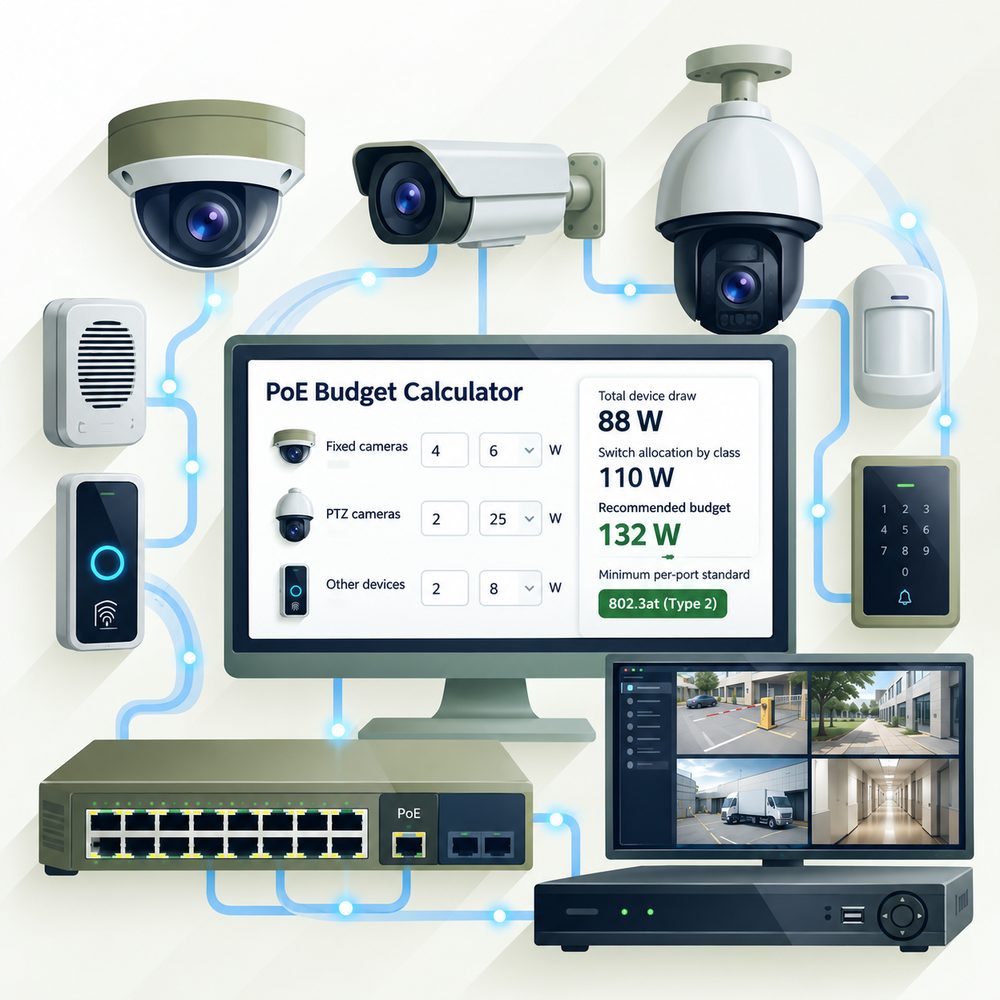
PoE Budget Calculator
Use the maximum power from each camera’s datasheet, not the typical value. Include IR illuminators and heaters if the datasheet lists them separately. You can also pick a PoE class if that is all you know.
PoE Standards and Classes
IEEE 802.3 defines how much power a switch port (PSE) must source and how much is guaranteed at the device (PD) at the end of a 100 m channel. Values from the Ethernet Alliance 802.3bt overview; the 12.95 W Class 3 figure is from the Ethernet Alliance PoE white paper (rounded to 13 W in later material).
| Class | Standard | Power at switch port (PSE) | Power at device (PD) |
|---|---|---|---|
| 1 | 802.3af | 4 W | 3.84 W |
| 2 | 802.3af | 7 W | 6.49 W |
| 3 | 802.3af | 15.4 W | 12.95 W |
| 4 | 802.3at | 30 W | 25.5 W |
| 5 | 802.3bt Type 3 | 45 W | 40 W |
| 6 | 802.3bt Type 3 | 60 W | 51 W |
| 7 | 802.3bt Type 4 | 75 W | 62 W |
| 8 | 802.3bt Type 4 | 90 W | 71.3 W |
Size the switch by watts, not just by port count.
How the Calculator Works
device draw = cameras × (max watts + IR/heater watts)
class allocation = cameras × PSE watts of the smallest class that covers the device
recommended budget = total class allocation × (1 + margin)
The class allocation is the conservative case, because the switch-side figure already covers cable loss over 100 m. The safety margin is your choice; 20% is a default planning cushion, not a value from the standard. Example: 8 cameras at 6 W fall in Class 2 (7 W at the port), so they need 56 W of allocation, or 68 W with a 20% margin.
Cable Length and Other Limits
IEEE PoE standards are written for a channel of up to 100 m (328 ft) between switch and device (Cisco). Axis likewise recommends 100 m as the maximum cable length between power source and device. Longer runs need an extender, an additional switch, or fiber.
A switch also negotiates power. Per the Ethernet Alliance, a PSE can assign a lower class than a device requests (power demotion), which can leave a camera underpowered. Check that the switch supports the class on every port you use, not only in total.
Planning a recorder too? Estimate storage with the NVR storage and bandwidth calculator, and pick lenses with the security camera lens distance calculator. To check that the video traffic fits the same switch, use the IP camera bandwidth calculator.
FAQ
How do I calculate a PoE budget for security cameras?
Add up the maximum power of every camera from its datasheet, including IR and heater power, then compare it with the switch’s total PoE budget. Because a switch may reserve power by class, it is safer to also check the class allocation and add a margin. The calculator above does both. To keep the switch and recorder running through an outage, estimate battery backup time with the UPS runtime calculator.
Is an 802.3af switch enough for IP cameras?
An 802.3af (Type 1) port delivers up to 12.95 W at the device (Ethernet Alliance). Many fixed cameras fit within that. Cameras that need more, such as models with heaters or PTZ motors, need 802.3at (25.5 W) or 802.3bt.
What is the difference between PSE power and PD power?
PSE power is what the switch port sources; PD power is what is guaranteed at the device after cable loss over a full 100 m channel. For example, Class 4 sources 30 W and guarantees 25.5 W at the device (Ethernet Alliance 802.3bt overview).
Can I run PoE farther than 100 meters?
The IEEE PoE standards are written around a 100 m channel (Cisco), and Axis recommends 100 m as the maximum cable length between power source and device. Longer runs need an extender, another switch, or fiber with a PoE media converter.
Will a higher-class switch work with a lower-class camera?
Yes. Per the Ethernet Alliance PoE guidelines, a PSE supports devices of an equal or lower class, and 802.3bt devices are backward compatible with Type 1 and Type 2 classes.
Sources
- Ethernet Alliance: Introducing IEEE 802.3bt Power over Ethernet overview (Types and Classes table)
- Ethernet Alliance: PoE white paper (802.3af/at powered device classification)
- Ethernet Alliance: Power over Ethernet certification guidelines (class interoperability)
- Ethernet Alliance: PD design for conformance and interoperability
- IEEE P802.3bt DTE Power via MDI over 4-Pair Task Force
- Cisco: What is Power over Ethernet (PoE)?
- Cisco: Low-Voltage PoE Lighting Design Guide (100 m cabling, 71.3 W at 100 m)
- Axis: PoE range (recommended maximum cable length)
Plan the whole recording system.
Learn how NVRs power, record, and manage PoE cameras.
Read the NVR Guide